
What the best password managers solve
A password manager stores credentials in a protected vault and fills a login only on the correct address. That reduces the temptation to reuse one password, keep combinations in spreadsheets, or choose predictable variations. The app can also suggest a random password, remember secure notes, and warn you when a credential has been reused.
A vault does not remove phishing, malware, or session theft. It helps when you use the right domain, keep the device updated, and protect the account that unlocks the vault. The master password remains an important key: do not share it, do not reuse it for email, and turn on the second step offered by the service.
Before comparing brands, write down the result you need. You may want to sync a phone and computer, share two accounts with a family member, store passkeys, or export everything to another service. This list turns a marketing promise into a decision you can verify.
How to evaluate the best password managers
Start with the encryption model and what the provider can see. A zero-knowledge design should explain why the provider cannot read the vault, which keys protect the data, and how authentication works. Open source code, independent audits, and clear documentation make the promise easier to check, but they do not replace an assessment of your own risk.
Then check the real experience: extensions for your browser, apps for your systems, reliable mobile filling, passkey support, and automatic locking. A feature is useful only if you can enable it without creating unprotected copies. Review import, export, version history, and what happens when you are offline.
Finally, read the recovery rules. Some vaults allow an emergency contact or recovery through a trusted device; others use a model where nobody, including support staff, can restore your master password. Neither approach is universally better. Choose between convenience and control while knowing which kind of loss you could accept.
Free or paid best password managers: which fits?
A free plan can be enough for one person with a few devices if it provides the synchronization, export, and protection you need. Compare the item count, supported device types, passkey support, number of vaults, and offline access. A zero price is not a bargain if you lose the ability to recover or move your data.
Paid plans often add family sharing, attachments, exposure monitoring, priority support, or team controls. Ask whether you will actually use each feature and whether billing is monthly or annual. Check what happens after cancellation: can you still access your data, export it, and keep it in a readable format?
Do not treat a free trial as proof of security. During the trial, read the privacy policy, published incident history, and encryption documentation. Prices and limits change, so verify the official plan page for your country before subscribing.
Security, privacy, and recovery with the best password managers
A secure manager should separate the master password from the keys that protect the vault and explain how data is synchronized. Look for end-to-end encryption, protection against repeated attempts, automatic locking, and login alerts. Enable two-step authentication with an authenticator app, a passkey, or a hardware key when the service supports it.
Read what is collected beyond encrypted content: an email address, telemetry, billing information, and device records may have different uses. A clear policy helps you decide whether the model matches your privacy expectations. Do not confuse a zero-knowledge statement with total anonymity; the provider may still process data required to maintain the account.
Plan for the day you lose your phone or forget the master password. Keep recovery codes in a separate place, test an export of a copy, and leave instructions for someone you trust only when that makes sense. If the service offers no recovery method you can actually perform, include that risk in your comparison.
Personal use, families, and teams with the best password managers
For individual use, the deciding combination is often dependable filling, synchronization, and a master password you can protect. For a family, look for shared vaults, permissions by person, and invitations that can be revoked. Sharing the master password or an exported file destroys the separation a vault is meant to provide.
Small teams need another layer: groups, authentication policies, administrative recovery, and a record of changes. Check whether the license covers the number of people, whether personal accounts remain separate, and what happens when someone leaves. A manager that is excellent for two people at home may be unsuitable for an organization that needs an audit trail.
In any setting, begin with a test account and a noncritical item. Confirm how filling behaves on similar domains, how invitations are accepted, and whether each device clearly shows which vault is active. This experience prevents you from migrating everything before you understand the permissions.
A decision matrix for the best password managers
Instead of naming one winner for everyone, use the matrix below to map your priorities. Bitwarden is often considered when open source code, price, and a free plan matter; 1Password is frequently considered by families and people who value a polished experience; Proton Pass appeals to people who want vaults and aliases in a privacy-focused ecosystem; Apple Passwords is convenient for people who live in the Apple ecosystem; KeePass suits people who prefer a local file and accept responsibility for synchronization.
These labels are not scores and do not replace current documentation. Features, prices, audits, and regional availability change. Open the official page for each option, confirm details for your country, and test export before paying. The best choice is the one you can keep updated and use without unsafe shortcuts.
| Who it suits | Strength to investigate | Check before deciding |
|---|---|---|
| Bitwarden | Open source, free option, and clear export | Check regional features and the support you actually need |
| 1Password | Family-friendly experience, shared vaults, and passkeys | Compare the annual price and plan required for each person |
| Proton Pass | Privacy, aliases, and integration with other Proton services | Verify free-plan limits and compatibility in your country |
| Apple Passwords | Simple integration on Apple devices | Assess the experience if you use Windows, Android, or Linux |
| KeePass | Local file and direct control of data | You are responsible for synchronization, backup, and recovery |
How to migrate to the best password managers safely
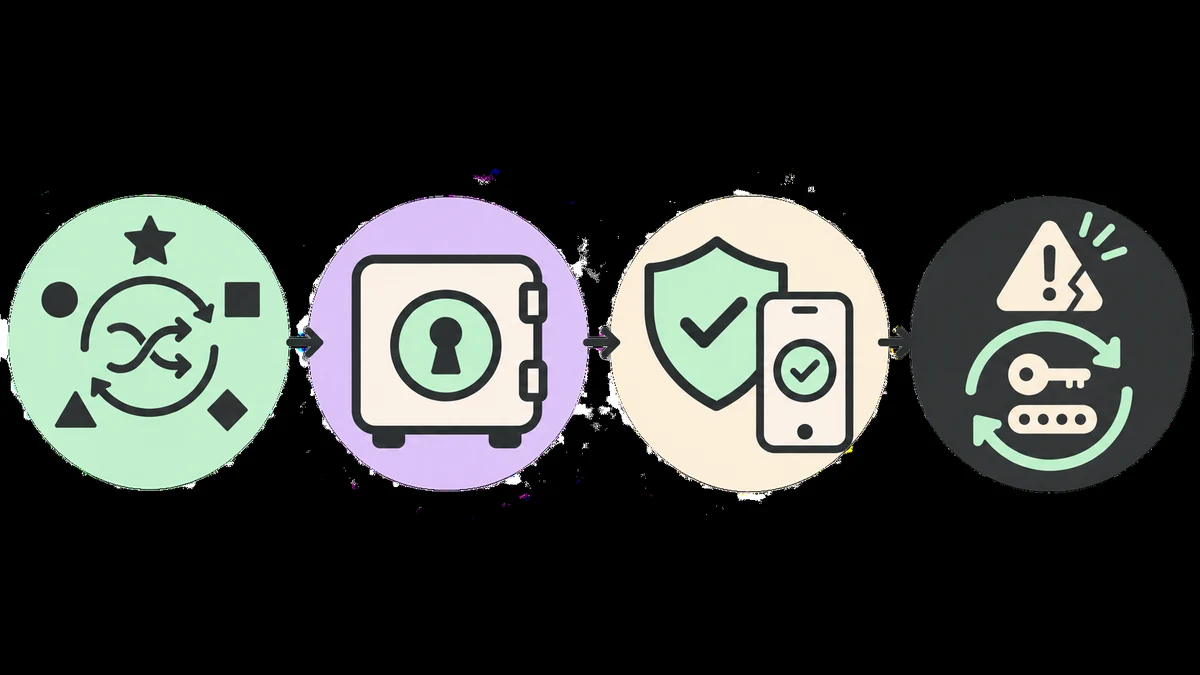
- Make an inventory. List accounts, passkeys, cards, and notes; do not put the list in a public document. Start with email, banking, and recovery accounts.
- Create and protect the vault. Choose a unique master password, turn on a second step, and install only official apps.
- Import through a documented path. Use the service's own importer. If you need a CSV, treat it as sensitive material, delete it afterward, and empty the recycle bin.
- Test and review. Open a test site, confirm the domain, test filling, and remove duplicates. Replace reused credentials with new random passwords.
- Export once. Check that a readable output format exists and keep instructions, rather than a permanent plain-text copy of the vault.
Migrate in stages. Keep the old manager only as long as needed to check items, then end sessions and revoke extensions you will no longer use. If a service cannot import passkeys or keys, record that limitation instead of forcing a conversion that would reduce security.
Common mistakes and limits of the best password managers
A vault cannot make an infected device safe. Avoid unknown extensions, confirm the address before accepting a fill, and never paste the master password into a form sent by message. Keep the system, browser, and app updated. If a page asks for a recovery code outside the normal flow, stop and use official support.
Passkeys can reduce dependence on passwords for compatible services, but they do not remove the need to protect the device and the synchronization account. Keep recovery methods available and check how to revoke a lost passkey. For accounts that still use passwords, generate a unique value in the local generator and save it directly in the vault.
Do not copy any password or passphrase shown in this article. Published examples are public. Also, do not use the score from the password strength tester as proof that a vault or service is secure; it only provides a local educational analysis. To create a credential, use the password generator and check the requirements of the destination site.
Frequently asked questions about the best password managers
What are the best password managers with a free plan?
There is no single answer. Compare encryption, open source status, synchronization, export, devices, and recovery. A free plan is suitable only when it covers your situation without forcing you to keep unprotected copies.
Are the best password managers secure?
They can reduce reuse and make unique passwords easier, but the result depends on the provider's model, your device, and protection of the master password. Use extra authentication, official apps, and confirmed domains.
Should I store the master password in the vault?
No. The master password is the credential that opens the vault. Memorize it or use a carefully planned recovery method; keeping a copy inside the same vault does not help if you lose access.
Can I switch between password managers later?
Yes, if the service lets you export data in a readable format. Test the import with a few items, protect and delete the export file, and revoke the old service session when you finish.
Do passkeys replace the best password managers?
Passkeys reduce reliance on passwords on compatible sites, but you still need to protect devices, synchronization accounts, and recovery methods. A manager can organize passkeys and the passwords that still exist.
How should I compare password managers for a family?
Look for shared vaults, per-person permissions, access revocation, recovery, and device limits. Test a noncritical item before importing financial or work data.